One place to check readiness
Server health, AI connections, Roblox clients, source sync, and semantic search have separate states. A running server no longer looks offline just because Roblox isn’t connected.
 Mono
See what’s connected, what’s ready, and what to do next.
A Mono development fork of Roblox Executor MCP, starting with clearer status for you and the AI using it.
Development preview · Source ZIP · MIT license
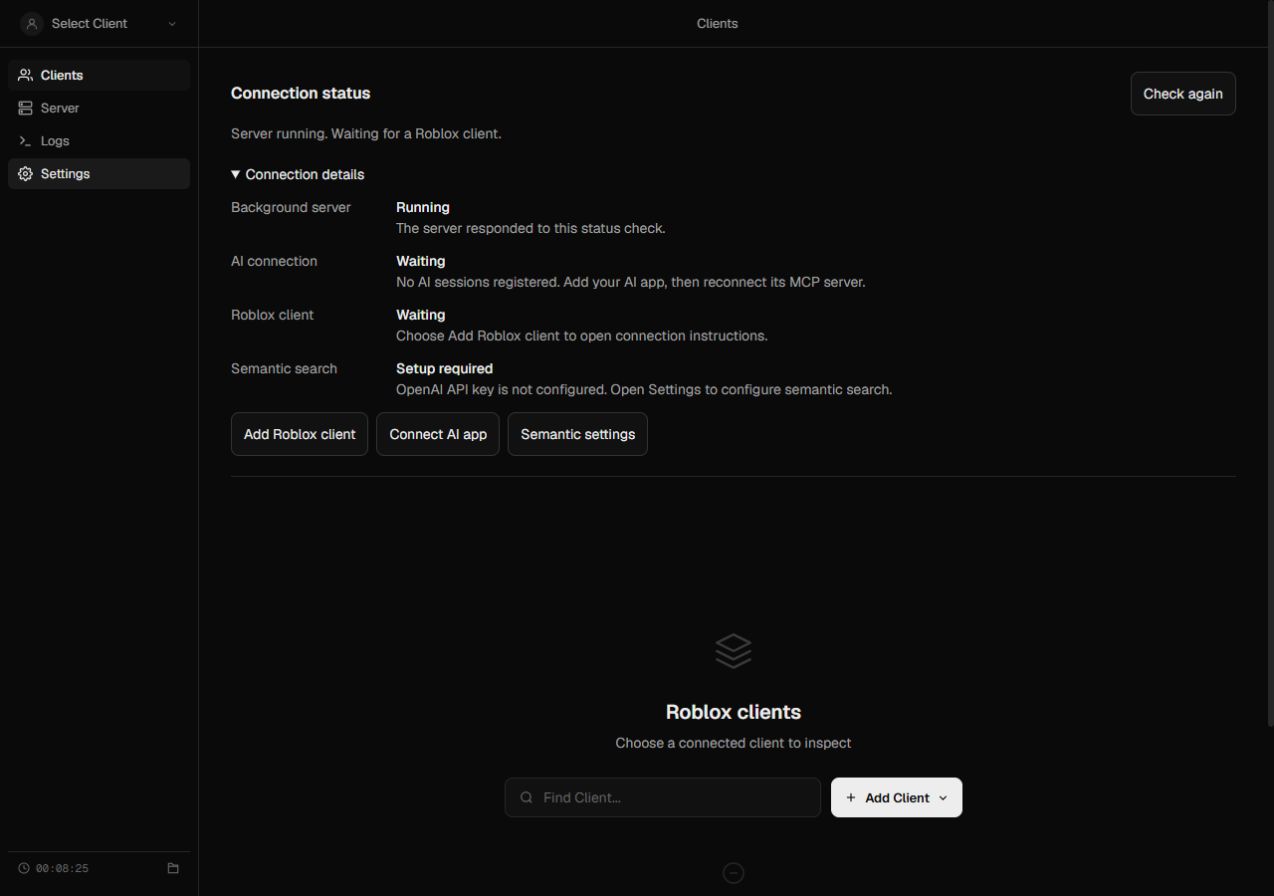
Server health, AI connections, Roblox clients, source sync, and semantic search have separate states. A running server no longer looks offline just because Roblox isn’t connected.
get-session-status returns structured readiness and target information, even with no Roblox client. It reads status without executing code or starting indexing.
Open Roblox connection instructions, connect your AI app, or configure semantic search from the status panel. Failed checks replace stale connection information.
“Configured” doesn’t mean a provider was tested. Missing or ambiguous clients are reported explicitly, with no silent switch to another client.
This download contains source code. You’ll need Node.js and npm; the package declares Node 22.23.4+, 24.22.1+, or 26.12.1+ within those major versions.
Use only with experiences and clients you own or are authorized to inspect.
Open a terminal in the extracted roblox-mcp folder.
npm ci --ignore-scripts
npm run build
The generated connector is included. Rebuilding the connector itself also needs Darklua.
npm run start:coreOpen localhost:16384. Use Connect AI app to configure your app and Add Roblox client for connection instructions.
Ask your AI to call get-session-status. If you have multiple clients, choose a client explicitly before an inspection call.
b48f49c. Original authorship and MIT license retained.This stage improves diagnostic UX. Upstream execution and transport behavior remain; access controls are still pending. Keep the local bridge on a trusted network. This website hosts the project’s source, not a running MCP server.
The full upstream test suite also needs Darklua and Luau, and currently references benchmark files absent from its public checkout. The focused checks above don’t establish full-suite or live-game compatibility.